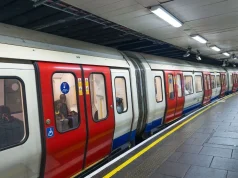


You are underground, standing on a crowded platform. The train is approaching. You look at your phone to check which stop you need, and… “No Service.”
This is a classic scenario for tourists in Rome. While the 4G coverage in the city is excellent, signal strength deep inside the Rome Metro tunnels can be non-existent.
That is why having a reliable Rome Metro Map—preferably saved offline or printed out—is one of the most important travel hacks for your trip.
In this guide, we will provide you with the resources to download the official 2025 map, explain how to read the color-coded lines, and suggest the best apps for navigating the Eternal City without using all your data.
The Official Rome Metro Map
The official public transport company of Rome (ATAC) publishes a high-resolution map that includes the Metro lines, regional trains, and major tram lines.
Where to get it: We recommend downloading the “Roma Città” map directly from the official ATAC website to ensure you have the latest version with any station closures or updates.
Tip: Save the PDF to your “Files” on your iPhone or “Downloads” on Android so you can open it without an internet connection.
Pro Tip: Take a screenshot of the central part of the map (the “X” where Line A and B cross) and set it as your lock screen wallpaper for the day. You’ll thank us later.
How to Read the Rome Metro Map
The beauty of the Rome subway map is its simplicity. Unlike the spaghetti bowl of lines you see in London or Tokyo, Rome’s map looks like a simple “X” shape.
Here is how to decode the colors:
1. Line A (Orange)
This line runs diagonally from North-West to South-East.
Key Function: Sightseeing. It hits almost all the major monuments.
On the Map: Look for the orange line.
Crucial Stops: Ottaviano (Vatican), Spagna (Spanish Steps), Barberini (Trevi Fountain), Termini.
2. Line B (Blue)
This line runs from North-East to South.
Key Function: Ancient History & Hipster Vibes.
On the Map: Look for the blue line. Note that it splits at the north end (B1 goes to Jonio, B goes to Rebibbia). As a tourist, you likely won’t go that far north, so don’t worry about the split.
Crucial Stops: Colosseo (Colosseum), Circo Massimo, Piramide, Tiburtina.
3. Line C (Green)
The newest line, running from the suburbs into the city.
Key Function: Commuting.
On the Map: The green line.
Crucial Stops: San Giovanni (Connection to Line A). Note: Line C does not yet reach the Colosseum or Piazza Venezia, though construction is ongoing.
The Interchange Points (Transfer Stations)
On the map, transfer stations are usually marked with a large white circle or a connector symbol. In Rome, you only need to remember two:
Termini Station: The heart of the map. This is where Line A and Line B intersect. It is huge, crowded, and chaotic. Allow 5-10 minutes to walk between platforms if you are transferring here.
San Giovanni: The connection point between Line A and Line C. This is a modern, museum-like station that displays archaeological finds discovered during the digging.
Rome Metro Map vs. Rome Tourist Map
A common mistake travelers make is relying only on the metro map.
The Rome Metro Map is schematic. It distorts distances to make the lines look straight.
Reality Check: On the map, the distance between Barberini and Spagna looks the same as the distance between suburban stops. In reality, Barberini to Spagna is a beautiful 10-minute walk.
The “Eat Walk Repeat” Strategy: Use the Metro Map to get to the general area (e.g., get to the “Spagna” dot). Once you exit the station, switch to Google Maps or a physical street map to navigate the winding alleys to your restaurant or hotel.
Best Offline Map Apps for Rome
If you don’t want to fumble with a PDF, these apps are lifesavers:
1. Google Maps (Offline Mode)
Before you leave your hotel Wi-Fi:
- Open Google Maps app.
- Search for “Rome”.
- Scroll the menu and tap “Download Offline Map”.
- Select the area inside the ring road (GRA).
- Benefit: You can search for restaurants, metro stations, and walking routes even in airplane mode.
2. Citymapper
This is often better than Google Maps for public transport. It tells you exactly which carriage to sit in to be closest to the exit (very helpful at Termini!). It also updates in real-time if there are strikes (which happen in Rome).
3. Maps.me
Great for hiking and walking routes. It shows detailed footpaths that Google sometimes misses.
Printable Maps: Are They Worth It?
In a digital age, we still love paper.
Why: Batteries die. Paper doesn’t.
Where to get one: Most hotels in Rome provide free tear-off city maps at the reception desk. These maps usually have the Metro lines overlaid on the street map, which is actually more useful than the abstract subway map.
The Check-In Ritual: When you check into your hotel, ask the receptionist to circle your location and the nearest metro station on the paper map. Keep this in your pocket.
Summary: Navigating Like a Local
The Rome Metro Map is your key to unlocking the city efficiently.
Download the PDF for safety.
Memorize the “X”: Termini is the center. Line A is for the Vatican. Line B is for the Colosseum.
Don’t Obsess: Rome is a walking city. If two stops look close on the map, they are probably close enough to walk.
Don’t let the fear of getting lost keep you in your hotel room. With the map in your pocket (or on your screen), you are ready to conquer the Eternal City.
- Hidden Rome: 20 Quiet Corners Beyond the Crowds
- Rome at Night: Best Illuminations & Evening Walks (Map + Safety Tips)
- Perfect 48 Hours in Rome for First-Timers (Skip-the-Line Strategy)
- 4 Days in Rome: Balanced Art, Ruins & Food Itinerary
- Rome Metro & Buses Explained
- Trastevere Guide: Best Streets, Cafés & Sunset Spots